Plotwire
Product How it works Pricing Resources Log in Start free
For electrical contractors

Draw the install.
The quote writes itself.

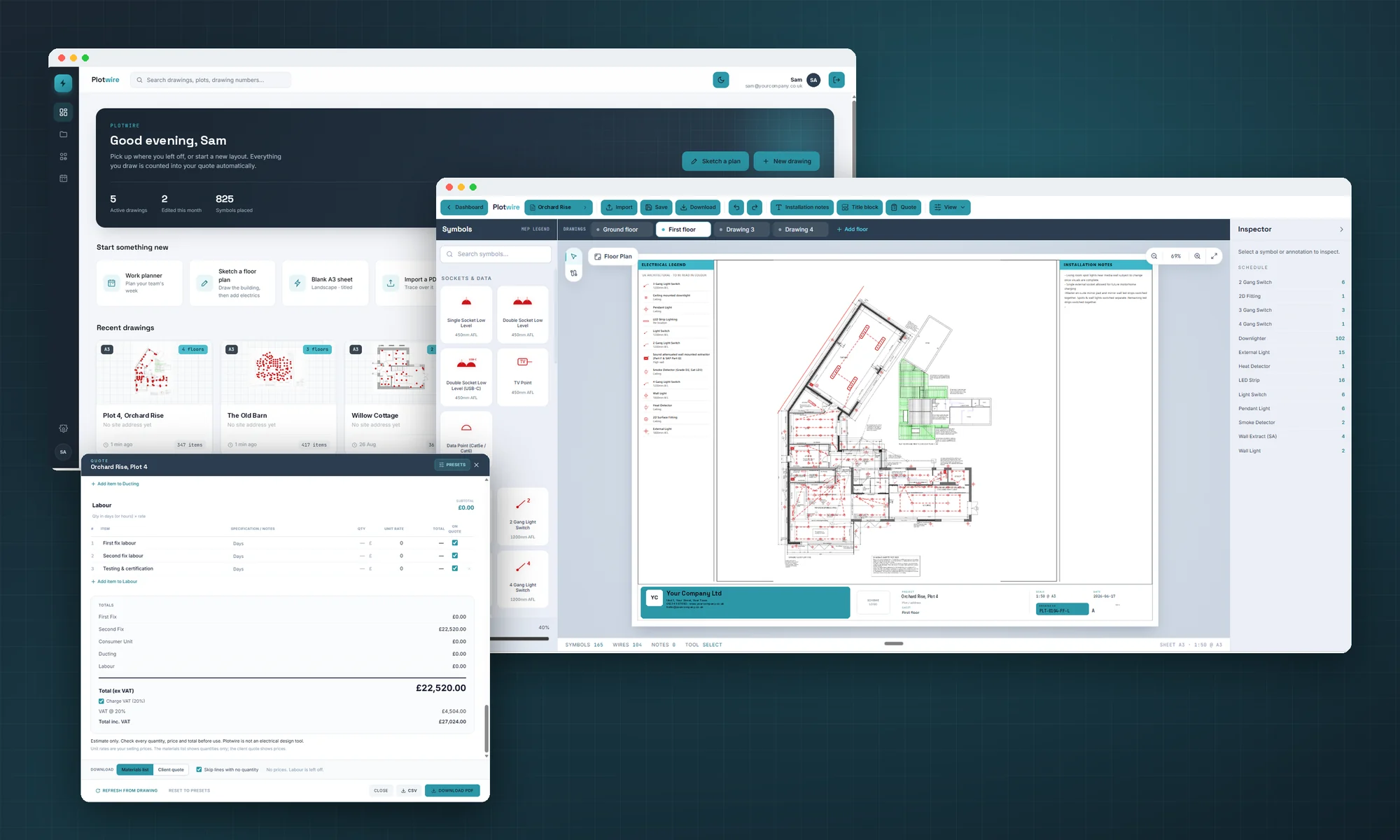
Plotwire turns a floor plan into a wiring drawing, a full materials schedule and a priced quote — all in one place.

No card required Cancel anytime
Floor plan to quote in one place Your rates, your margins Branded PDF quotes Works on the tablet, on site
One tool, plan to quote

Stop pricing jobs twice

Most estimating means measuring off a drawing, then rebuilding it in a spreadsheet. Plotwire keeps the drawing and the numbers as one thing.

Drawing

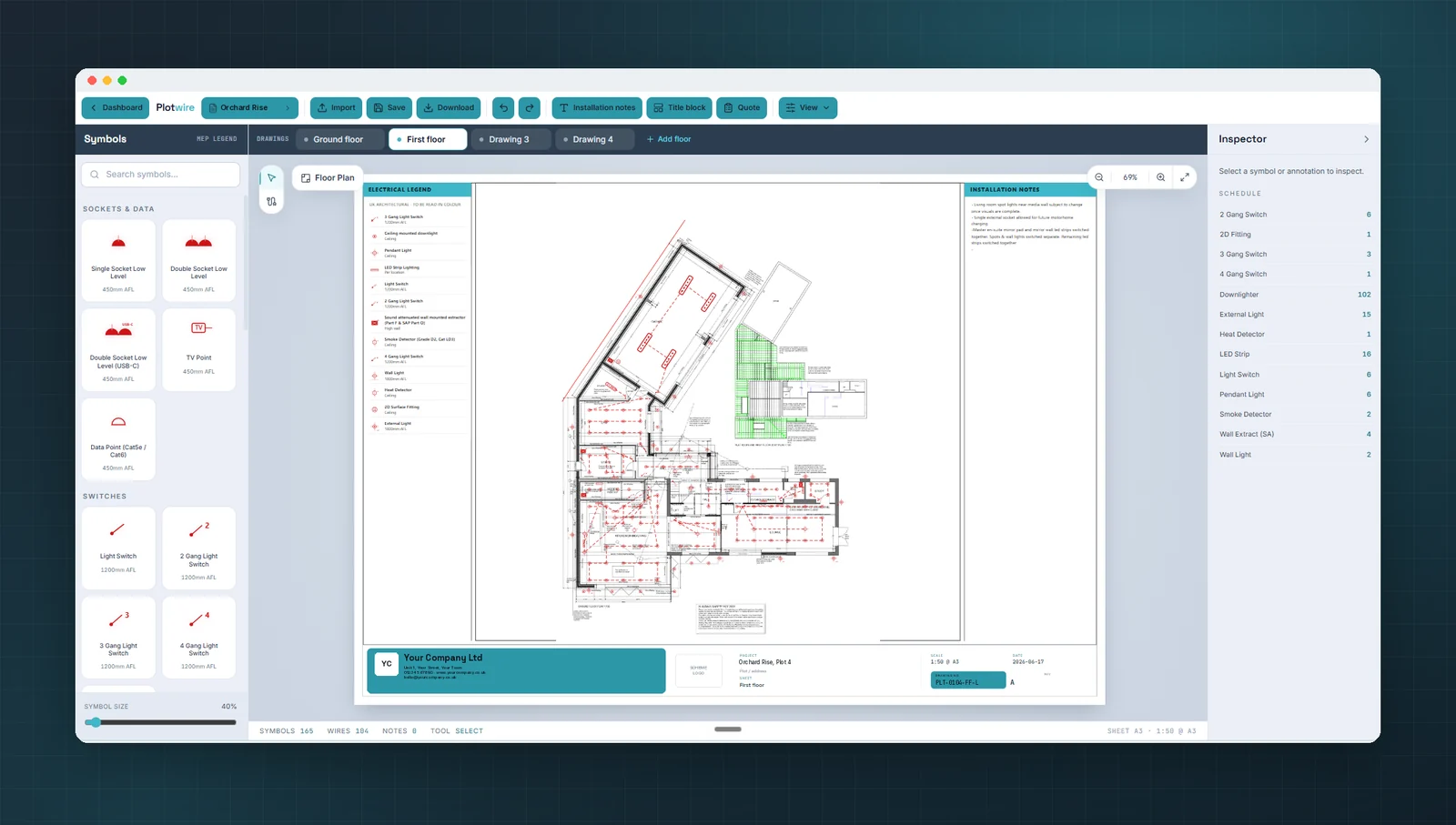
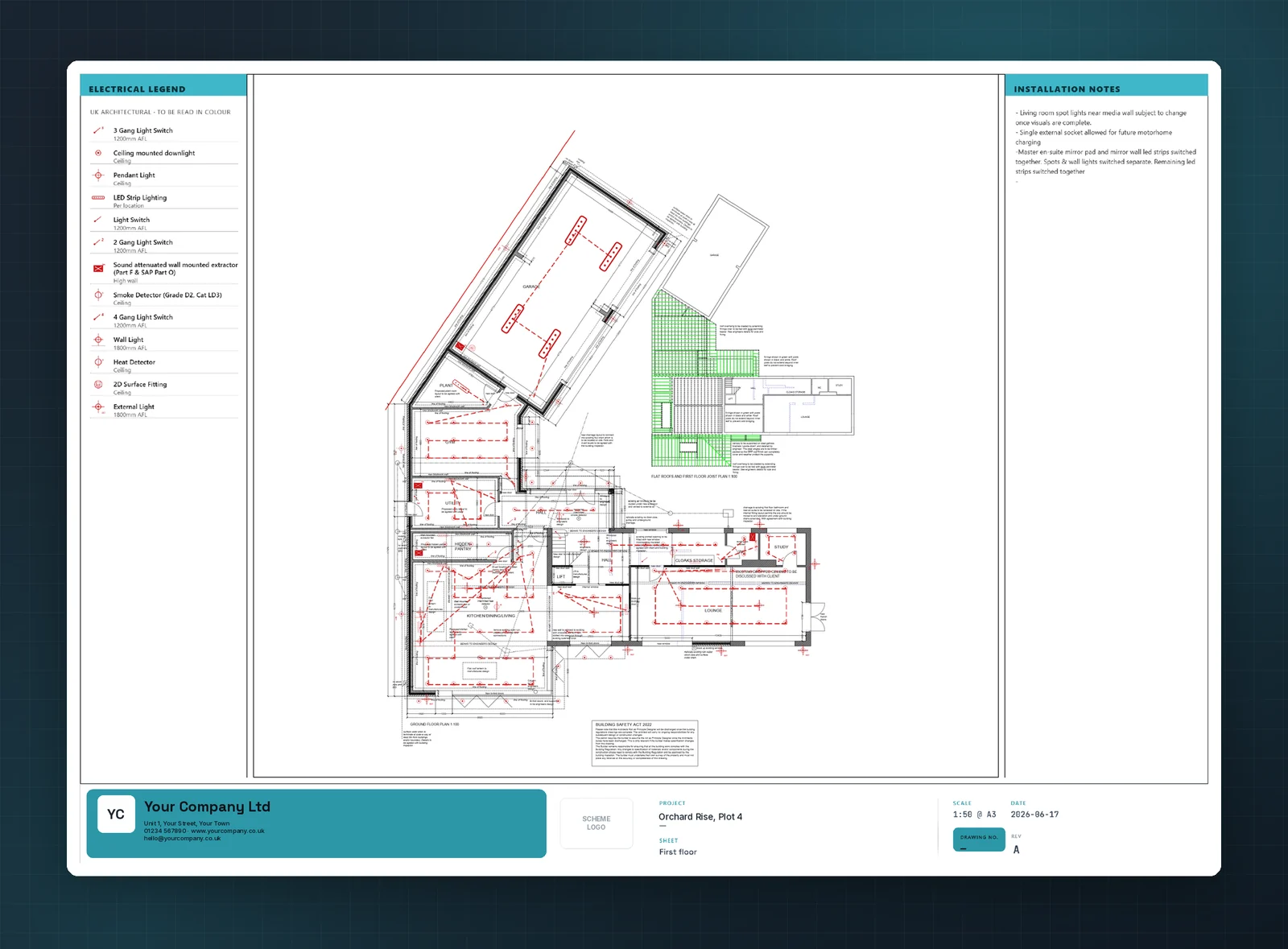
Lay out the install on the plan

Drop clean, conventional symbols straight onto an imported floor plan. Snapping, circuits and cable runs come built in.

  • Drag-and-drop symbol palette
  • Snap to walls and a metric grid
  • Group points onto circuits as you go
  • Light or dark canvas for any site
Symbols
LED Downlight
13A Twin socket
DB CU
RJ45 Data
Schedule

Every symbol becomes a line item

As you draw, Plotwire keeps a live materials schedule — counted, rated and grouped by circuit. No re-counting off the page.

  • Live materials tally
  • Your own rates and suppliers
  • Per-circuit breakdown
  • Export to CSV or your wholesaler
Ground floor schedule43 items
Downlight LED
£38 ea · Lighting · L1
×18
Twin socket
£28 ea · Ring · A
×14
2-gang switch
£24 ea · Lighting · L1
×9
Cooker outlet
£46 ea · Cooker radial
×1
Consumer unit
£285 ea · Origin
×1
Materials subtotalex labour & VAT£1,623
Quote

Send a priced quote the same day

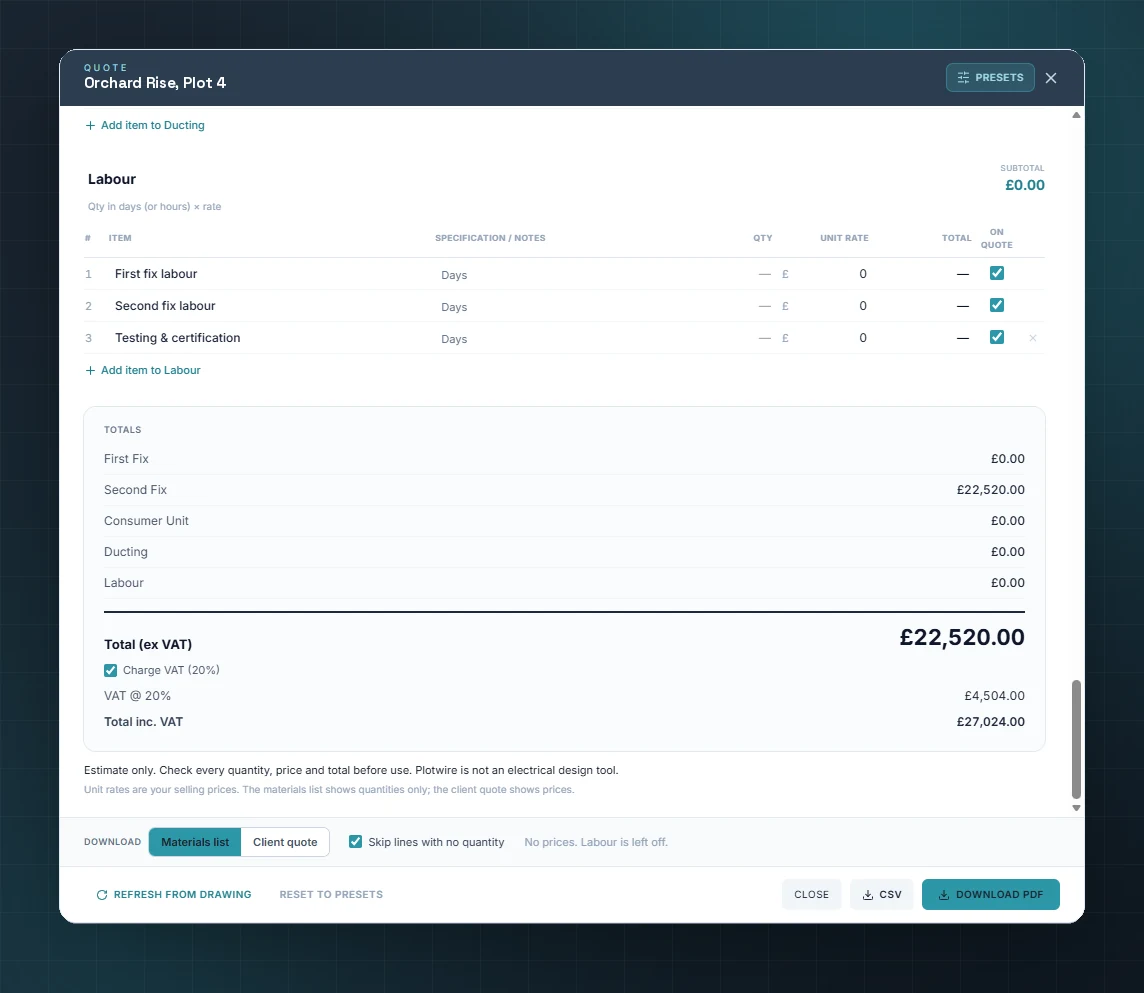
Turn the schedule into a branded quote with labour, materials and VAT, then send it to your client as a clean PDF.

  • Labour + materials + VAT in one click
  • Your logo and terms on every PDF
  • Email the quote straight to your client
  • Saved to your account, ready to revise
Plotwire QUOTE · PW-0247
Maple House — full rewire
Materials£2,180
Labour — 6 days£2,640
Testing & certification£260
VAT (20%)£1,016
Total inc. VAT£6,096
Everything in the box

Built for the way you actually work

No add-ons, no per-feature pricing — the whole job, from first symbol to sent quote.

Symbol library

Lighting, power, data and control symbols, ready to drop straight onto the plan.

Multi-floor projects

Ground, first and loft on a single job — each on its own sheet, all counted into one schedule.

On the tablet, on site

Draw with touch and pinch-zoom on an iPad, then pick it up back at the office — same job, synced.

Your rates, your margins

Set your own material prices and day rates. Every schedule and quote prices up the way you would.

PDF & CSV export

Branded quote PDFs for the client, plus a materials schedule you can send to your wholesaler.

Saved to your account

Every drawing backed up automatically and available on every device you log in from.

How it works

From plan to priced in three steps

01

Import the plan

Drop in a PDF or image of the floor plan and set the scale. Or start from a blank A3 sheet.

02

Lay out & wire

Place sockets, lights and circuits. Plotwire snaps everything and keeps the schedule in step.

03

Generate the quote

Apply your rates, add labour and send a branded, professional quote to the client.

Pricing

Simple while we're getting started

Plotwire is in early access. It's free to use right now, and early users keep founder pricing when paid plans arrive.

Early access
Free while in beta
No card, no commitment — just start drawing.
  • Unlimited drawings and multi-floor projects
  • Live materials schedule and CSV export
  • Branded, professional PDF quotes
  • Saved to your account, on every device
Start free
FAQ

Questions, answered

What can I import as a floor plan?
A PDF or an image — drop it in, set the scale and trace over it. Or start from a blank A3 sheet and draw the layout from scratch.
Does it work on an iPad on site?
Yes. Drag, drop and pinch-zoom with touch, and everything saves to your account so the same job is there when you're back at the desk.
Can I use my own prices and labour rates?
Always. Set your own material rates, day rates and margins, and every schedule and quote prices up using them — not generic figures.
Will my drawings and quotes look professional?
Yes — clean, conventional symbols and tidy, branded exports that sit neatly alongside the rest of your job paperwork.
Is my work backed up?
Every project saves to your account automatically and is available on any device you log in from — nothing lives only on one tablet.
What happens when the beta ends?
Paid plans arrive later. Anyone who joins during early access keeps founder pricing, so getting in now pays off.
Plotwire

Quote your next job in an afternoon

Start free, draw your first install today, and see the quote build itself.